Lockwood Elevation Touch Screen Display (Obsolete)
This product is now obsolete, but you can upgrade to Yale Aeron® Window System for enhanced features and performance.
The Lockwood Elevation® touch screen display is an elegant Touch pad that’s been designed to control up to 30 Elevation window actuators. The touch pad can be programmed to open individual or groups of windows. You also have the option to name your windows or groups from a predefined list suitable for commercial or residential applications.
Window positions can be controlled to: open, close, move to a 50% or a venting position. The status of your window positions can be viewed at a glance throughout your building. You also have the option to instantly close all windows at once when leaving the house, or locking up for the night. The Lockwood Touch Screen display allows you to easily decide which window or group you would like to: open, half open, close or vent.
The Touch Screen Display also gives you the ability to connect up to four rain sensors and can be controlled to automatically close in the event of rain. You also have the ability to set the window to reopen once the rain has stopped. The smart rain sensor also has the ability to differentiate between rain and dew with built in heating elements that dries moisture build up.
Applications
- Commercial Buildings
- Residential Buildings
Touch Screen Display Features
- 3.5” colour Touch Screen Display
- Control up to 30 windows
- 30 predefined window and group names
- 2 button touch, to control a window
- Live status of window position
- Instantly open or close all windows
- Pin code lockout option
- Synchronize an additional touch pad to the network
- Window obstruction status and warnings
- Control up to four rain sensors independently or grouped
- Easy installation with 4 wire control
- Emergency “close all” override from home button
 | Demonstration Video |
 | Installation and Programming Video This step by step video tutorial includes everything you need to know to install and program the Lockwood Elevation Window Control System. |
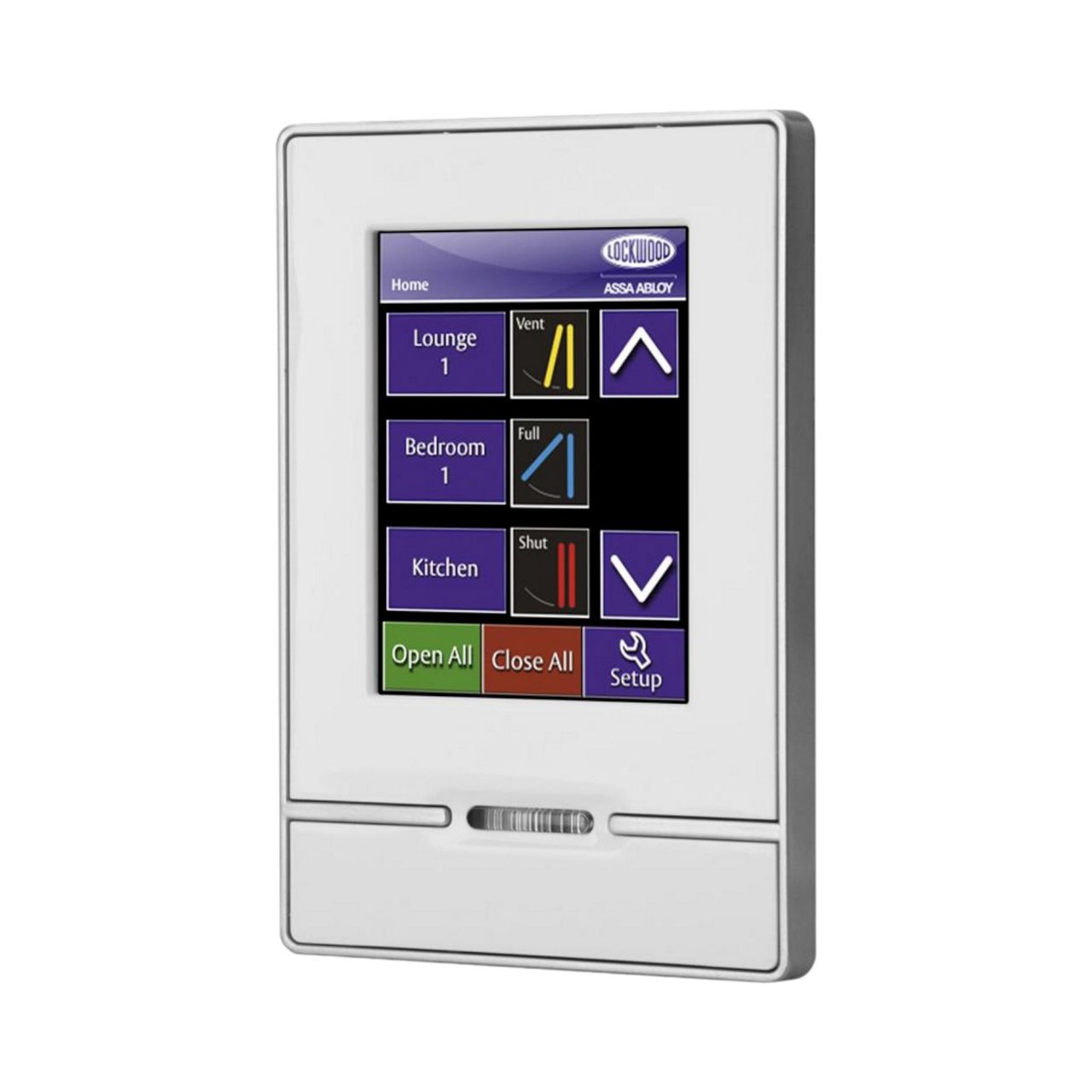
Lockwood Elevation Touch Screen Display